


|
By Daisy Priya
Choosing between SaaS and on-premise for SmartBear Swagger Studio, SmartBear Swagger Portal, and SmartBear Swagger Contract Testing The question that most often stalls an API solution evaluation is a simple one: do we run this as SaaS or on-premise? It’s simple to ask and hard to answer, because three teams each hold a veto. Security needs to know where your data will live. Your platform team has to decide whether it can take on another workload.

|
By SmartBear
Test automation gets harder when the application portfolio stops looking like a modern web stack. Desktop clients, packaged systems, internal applications, and long-lived business software all create different requirements for how teams build, run, and maintain tests. In an AI-disrupted SDLC, the rest of the stack changes even faster, and the risk concentrated in those systems grows with it.
|
By Rob McNeil
Every QA team carries a list of things it hasn’t gotten to yet, and that list tends to grow at about the same rate as the application portfolio. There are more tests to automate than there is time to write them, coverage that stops short of the applications nobody wants to touch, and workflows that have stayed manual long enough to become part of how the team works. Automation chips away at that list without ever quite emptying it, because the constraint is rarely how fast the existing tests run.
|
By Fitz Nowlan
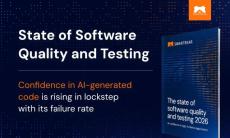
If you only read the headlines this year, you’d think AI makes shipping good software easier than ever. Yet, this was the year of very public AI-coding incidents. PocketOS’ production database deletion and a Vercel AI agent shipping unverified code are just two examples of AI-authored code shipped with confidence that turned out to be wrong. And, of course, these AI-coding incidents are distinct from Agentic AI orchestration incidents like the HuggingFace hack by OpenAI.

|
By Samantha O'Neil
At SmartBear, we’re dedicated to empowering teams by delivering application integrity: continuous, measurable assurance that their software works as intended, even as AI accelerates the SDLC. The AI Test Innovators Award: QMetry + Reflect celebrates customers who are using AI to reimagine how they create, maintain, and manage tests – without sacrificing rigor or reliability.
|
By Alisha Siddhartha
Test libraries that once felt instant can become harder to manage as they grow: test cases take longer to open, reports take longer to build, and every sprint adds more data to an already bloated Jira environment. That’s usually the moment when a testing leader starts evaluating whether the test management tool installed years ago still fits the way the organization tests today. Your team has already decided to run testing inside Jira.
|
By Bridges Smith
AI agents review code, triage incidents, summarize tickets, and draft documentation, and the industry has largely decided the help is worth having. Leadership is often pushing teams for AI productivity gains and many teams accept the mandate. The obstacle is what happens next: the agent works on the wrong thing, the time and money spent on it return nothing, and the team ends up less efficient than before it started by creating more work.

|
By Alisha Siddhartha
AI has changed how fast testing teams can move, yet sorting through duplicate test cases still trips teams up. Ask the SmartBear Zephyr Agent for Rovo to generate test cases for a requirement, and coverage that used to take an afternoon comes back in a single conversation. That speed is a genuine win for teams building faster than ever, but as AI generates more test coverage, how do you make sure all of it stays worth keeping?

|
By Ewa Ostrowska
Drift detection stays narrow on purpose. It checks contract conformance – structure, status codes, schema – and deliberately leaves workflows and business logic to functional and end-to-end tests. That’s what makes it a fast add to our pipeline to prevent API drift. That narrow scope keeps it cheap to run. Fast execution, low flakiness, low maintenance cost – the kind of checks that make you more confident shipping. Catching drift early is the whole point.
|
By Klaudia Makiej
Article Summary: Most teams have adopted AI coding tools, but testing is still manual, so the speed gain rarely survives to release. This post covers why that gap forms, how your team can maintain application integrity, and how QMetry’s AI features, from fast test creation to a Release Readiness Advisor, connect coverage, risk, and release decisions in one system instead of a second disconnected tool.

|
By SmartBear
Worried an AI teammate could rack up a surprise bill? In this video, you’ll learn how SmartBear BearQ gives you real governance over AI testing spent – built with pre-baked monthly limits, so your team always knows what to expect before a single agent gets to work.

|
By SmartBear
You can add AI-driven testing to your Jira workflow by handing tickets to the QA Lead Agent in SmartBear BearQ for Jira. Move a finished ticket, and the agent checks for an existing test, links or creates one, runs it, and reports back. If your team builds with coding agents like Claude or Cursor in Jira, BearQ, the agentic QA system, adds the quality step to that AI-driven software development lifecycle (SDLC).

|
By SmartBear
10x faster coding. Same QA. Until now. You're coding faster with AI. But if your agents are siloed and disconnected, those gains aren’t yet showing up in your quality or delivery – it's getting lost in the handoffs. Join SmartBear for a live demonstration of the connected agentic SDLC. See how BearQ extends beyond creating tests to coordinating quality work across Jira, GitHub, and AI-powered workflows – detecting issues, triggering the right next action, and carrying context from one agent to the next.

|
By SmartBear
Watch this video to see how see how SmartBear BearQ keeps bug reports and test results in sync with Jira, Linear, and Azure DevOps at AI speed and scale, with no manual copy-pasting. BearQ’s agentic QA system connects to the tools your team already relies on, so its three built-in agents can pull in context and push results right where your team lives.

|
By SmartBear
Wondering which of your AI-driven tests need attention right now? Watch this video to learn how SmartBear BearQ spots flaky tests and failure trends the moment they happen, so you always know exactly where to focus. Each report summarizes what happened and surfaces the issues BearQ detected, whether while exploring your app or running a scheduled test. Drill into failed tests to see exactly which runs broke and why, track trending results over time, and review open issues found across both passing and failing runs.

|
By SmartBear
In this video, you’ll see how SmartBear BearQ's QA agents catch bugs, UI and UX issues, and accessibility gaps automatically as they explore or test your applications, zero test script writing necessary. Whenever the Explorer Agent investigates your app or the Tester Agent runs a test, the QA Lead Agent is watching in the background for anything that looks wrong. Each suspected issue arrives with a clear title, a description, expected versus actual behavior, steps to reproduce, and a link to the evidence that shows exactly when it was found.

|
By SmartBear
Can you trust AI agents to run your tests without losing control of your release process? In this video, you’ll learn how, with SmartBear BearQ’s agentic QA system, the answer is yes, because you decide exactly how much autonomy the agents get. This enables you to adapt QA to fast-moving AI codebases, all with human oversight.

|
By SmartBear
Rovo, Atlassian’s AI assistant, can help you generate test cases directly inside Jira through the SmartBear Zephyr Agent for Rovo. This demo offers a practical look at AI-powered testing with Rovo in Jira, from requirements to reviewed test cases, all within the Jira experience, without switching tools.

|
By SmartBear
Not everyone who needs a read on release readiness lives in Jira. This video demonstrates how the SmartBear MCP Server brings trusted Zephyr test data into Claude, so anyone who needs access to testing data gets it without switching context. A QE lead checking coverage, a release manager confirming a ship date, a developer following up on a fix, and any stakeholder who just wants a fast answer has what they need.

|
By SmartBear
In this video, you'll learn how SmartBear Swagger Agents, built right into SmartBear Swagger Studio, cut the process of manual API governance reviews and documentation from weeks to minutes, generating API definitions that are specific to your APIs and compliant with your organization's governance rules from the start.

|
By SmartBear
We rely on APIs for critical aspects of our digital infrastructure. Much like the nails that connect and support a house's foundation, APIs ensure that the necessary parts of your digital network are connected. Understanding how they are behaving is vital to gain full visibility into the performance and availability of your digital assets.
|
By SmartBear
Now, more than ever, the success of your business hinges on your ability to ensure a quality Web experience for both internal and external users. We're not talking about just design, either. Your customers are demanding fast access to quality Web content that displays properly on any mobile or web device of their choosing. Download this eBook, and see if you're running the right tests to be sure your website is adapting.
|
By SmartBear
We've all heard the stories about the overnight sensation that took decades to achieve. The "API Revolution" has that same feel to me. Some version of APIs has been at the heart of application development for many years, but as the web application world grew more and more connected and developers learned to leverage code built outside their own application, the API industry began to boom and flourish.
|
By SmartBear
Our AlertSite team supports businesses in monitoring and maintaining a stellar user-experience with accurate, actionable performance insights for web and mobile applications, websites, and APIs.
|
By SmartBear
When it comes to APIs, performance is just as important as accuracy. No matter how good the features and functionality of your application might be, if it performs poorly by crashing or loading slowly, your users will lose interest quickly. With this in mind, we've put together a comprehensive guide to the fundamentals of API load testing.
|
By SmartBear
Where do performance testing and monitoring fit into the Agile and DevOps development process? Implementing a process for improving the performance of your applications requires the right tools to help you do it. These tools go beyond the responsibilities of your development team to ensure that applications are tested in pre-deployment and monitored after your application is live in production. This eBook will provide the tactical advice you need to implement a strategy that works for your organization.
|
By SmartBear
Modern applications are developed, tested and delivered to end-users in ways that simply didn't exist five years ago. In order to meet increasingly high user expectations, businesses need to deliver higher quality software at a faster rate, and those that fail to do so will lose market share to competition that does.
|
By SmartBear
There are two primary techniques for monitoring web and mobile applications-synthetic monitoring, and real monitoring-each with very different capabilities, advantages and disadvantages. How do you know which technique to use?
|
By SmartBear
While APM solutions have been mitigating poor user experiences since the early 90s, only recently have these tools begun to deliver on the promise of proactively identifying and diagnosing performance issues before users are impacted-but they are still far from perfect. For starters, why the lack of unified functionality? Why do we still need multiple tools in order to deliver a single APM solution? Or do we?
|
By SmartBear
Now, more than ever, the success of your business hinges on your ability to ensure a quality Web experience for both internal and external users. We're not talking about just design, either. Your customers are demanding fast access to quality Web content that displays properly on any mobile or web device of their choosing. Download this eBook, and see if you're running the right tests to be sure your website is adapting.
- October 2026 (9)
- September 2026 (12)
- August 2026 (15)
- July 2026 (16)
- June 2026 (13)
- May 2026 (10)
- April 2026 (13)
- March 2026 (18)
- February 2026 (15)
- January 2026 (6)
- December 2025 (8)
- November 2025 (10)
- October 2025 (8)
- September 2025 (11)
- August 2025 (9)
- July 2025 (12)
- June 2025 (13)
- May 2025 (4)
- April 2025 (9)
- March 2025 (8)
- February 2025 (7)
- January 2025 (13)
- December 2024 (6)
- November 2024 (3)
- October 2024 (9)
- September 2024 (16)
- August 2024 (4)
- July 2024 (8)
- June 2024 (6)
- May 2024 (15)
- April 2024 (10)
- March 2024 (2)
- February 2024 (10)
- January 2024 (9)
- December 2023 (4)
- November 2023 (4)
- October 2023 (11)
- September 2023 (12)
- August 2023 (14)
- July 2023 (11)
- June 2023 (20)
- May 2023 (18)
- April 2023 (12)
- March 2023 (13)
- February 2023 (7)
- January 2023 (2)
- December 2022 (4)
- November 2022 (5)
- October 2022 (4)
- September 2022 (5)
- August 2022 (8)
- July 2022 (4)
- June 2022 (5)
- April 2022 (7)
- March 2022 (1)
- February 2022 (3)
- January 2022 (6)
- December 2021 (4)
- November 2021 (6)
- October 2021 (4)
- September 2021 (2)
- August 2021 (4)
- July 2021 (4)
- June 2021 (6)
- May 2021 (10)
- April 2021 (7)
- March 2021 (7)
- February 2021 (4)
- January 2021 (4)
- December 2020 (3)
- November 2020 (5)
- October 2020 (5)
- September 2020 (6)
- August 2020 (6)
- July 2020 (1)
- June 2020 (1)
- April 2020 (2)
- March 2020 (2)
- February 2020 (2)
- January 2020 (4)
- December 2019 (3)
- November 2019 (4)
- October 2019 (1)
- September 2019 (2)
- August 2019 (2)
- July 2019 (3)
- June 2019 (1)
- April 2019 (4)
- March 2019 (3)
- February 2019 (2)
- January 2019 (2)
- December 2018 (3)
- November 2018 (6)
- October 2018 (7)
- September 2018 (4)
- August 2018 (6)
- July 2018 (3)
- June 2018 (6)
- May 2018 (3)
- April 2018 (5)
- March 2018 (4)
- February 2018 (2)
- January 2018 (1)
SmartBear provides high-impact, easy-to-use tools for software teams to plan, build, test, and monitor great software, faster. We create the software tools that development, testing, and operations teams use to deliver the highest quality and best performing software possible, shipped at seemingly impossible velocities.
With products for code review, API and UI level testing, and monitoring across mobile, web and desktop applications, we equip every member of your team with tools to ensure quality at every stage of the software cycle.
The World’s Best Software Development Teams Use SmartBear Tools:
- SoapUI Pro integrates with your entire API delivery ecosystem, from design and mocking to issue reporting and deployment. With an open core plugin framework, integrations to the following areas make ReadyAPI and SoapUI Pro the most extensible and connected API testing suite in the world.
- With LoadUI Pro, you can reuse your functional API tests built on the industry's #1 open-source based API testing tool, SoapUI Pro to speed testing and reduce the time it takes you to deploy high performance REST and SOAP web services.
- SwaggerHub is engineered to give organizations and teams the best possible experience for maintaining and scaling their API development, from design to deployment.
- AlertSite gives you full visibility into the health of your websites, web applications, mobile applications, cloud applications, and APIs, so you can deliver an exceptional end-user experience. Key features of the AlertSite Platform include: Hybrid Deployment, Real-Time Alerts, Codeless Web Recorder, Real Browser Playback, Single-Sign On.
Release your passion to create great software, think bigger, and build smarter.