Systems | Development | Analytics | API | Testing

Logi Report Explainer

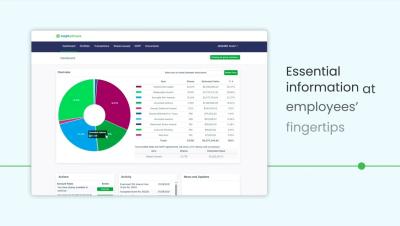
When creating reports, format matters and precision is nonnegotiable. Standard reporting tools create confusing layouts, inconsistent exports, and force teams to rely on IT for custom reports. Logi Report from insightsoftware Data + Analytics embeds powerful reporting directly into your application, giving you control over every element with intuitive drag-and-drop tools, no coding required. Create banded reports with automatic subtotals and smart pagination, built for regulatory and operational reporting at scale.

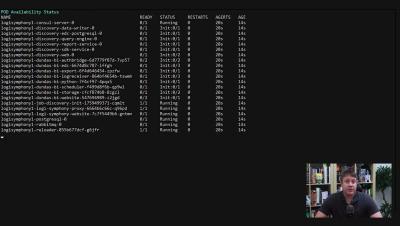
Trino + Apache Iceberg Explained: Data Federation and Real-Time Analytics With Simba Driver

Business intelligence moves at the speed of data, but data silos, outdated drivers, and unreliable connections slow everything down. In this video, Jeff the data and analytics expert from insightsoftware breaks down everything you need to know about Trino, Apache Iceberg, and data federation, and how Simba Drivers make real-time analytics possible for modern BI tools You’ll learn: Whether you’re dealing with broken pipelines, lagging queries, or wasted BI investment — this session shows you how Simba, Trino, and Iceberg solve connectivity challenges at scale.

Run Business Central Reports Anywhere with Jet Reports for Excel Online

With Jet Reports for Excel Online, you can open your Business Central reports right in your web browser—no need to be at your desk or have Excel installed on your computer. When you need to understand why a number looks off, just drill in on it to see the actual Business Central records and transactions behind it. Your whole team can access the same reports through Reports Center, so everyone's looking at the same up-to-date information instead of passing around different spreadsheet versions. It's reporting that works the way you do—whether you're at the office, working from home, or checking numbers between meetings.

Spreadsheet Server Demo: Excel-Native Financial Reporting With Live ERP Data

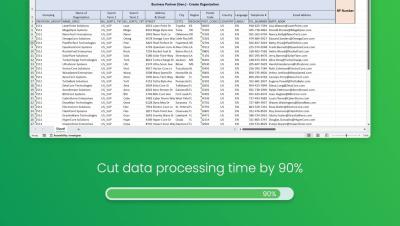
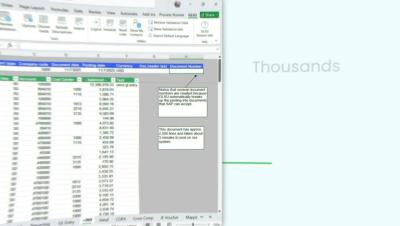
See how Spreadsheet Server transforms financial reporting by connecting live ERP data directly to Excel. Designed specifically for finance professionals, it eliminates manual copy-paste cycles while providing AI-powered insights, operational reporting beyond the General Ledger, and automated report distribution. Create sophisticated, refreshable financial reports using the Excel skills you already have.

Why CFOs Can't Ignore AI Auditability | Human-in-the-Loop Explained

Can you explain how your AI reached its financial conclusions? If not, you may be facing serious compliance risks. In this quick breakdown, Martin Baker, Product Marketing Lead for AI solutions at insightsoftware, explains why “black box” AI is becoming a liability in the boardroom and how human-in-the-loop design creates accountability and protects CFOs from Sarbanes-Oxley violations.

Week 4 CFO Masterclass: How AI Is Revolutionizing Finance Teams w/ Real Examples

Discover how AI is transforming finance teams with real-world examples! Learn how automation reduces errors, strengthens compliance, and enhances job satisfaction in finance workflows. In this preview of our full blog, you'll see: Watch the full video and read more at InsightSoftware’s blog: “How AI Is Revolutionizing Finance Teams (With Real Examples)” — explore how AI is reshaping the finance function today.

Week 3 CFO Masterclass: Building Predictive Intelligence in Finance

Discover how finance teams can move beyond static reporting with predictive intelligence! In this masterclass preview, see how your team can evolve into proactive advisors by leveraging leading indicators and predictive insights. Watch our Week Three Masterclass and dive deeper with the full blog: “Beyond Financial Statements: Building Predictive Intelligence” for strategies to revolutionize your finance workflows.