Systems | Development | Analytics | API | Testing

What is MCP (Model Context Protocol)?

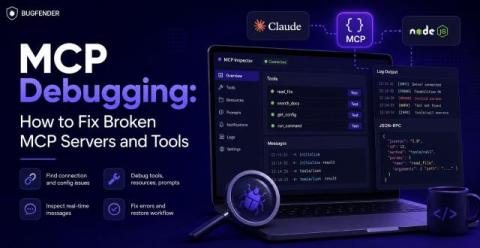
MCP (Model Context Protocol) is an open standard that lets AI agents connect to external tools and data sources in a consistent, secure way. We can think of the MCP as a USB-C port for AI agents. This open protocol from Anthropic (the guys who built the Claude chatbot) enables AI applications to plug into external tools without any custom glue code.

The High-Velocity Roadmap: Building Mobile Release Confidence

Whether you're just starting your automation journey or looking to level up to AI-driven quality, this session delivers the insights and tools to help your team release better mobile apps, faster. Sauce Labs experts Ashwini Sathe and Senior Solutions Engineer Parth Patel explore one of modern development's biggest paradoxes: AI-powered development has made shipping faster than ever — so why is maintaining quality getting harder?

From EHR to Telemedicine: Types of Healthcare Software Transforming the Industry

The emergence of digital transformation technologies led to a nationwide change, causing a profound impact on various industries throughout the world. Among the conventional sectors affected by it, the healthcare industry emerged prominently. Interestingly, it not only disrupted but also provided a significant impetus to the healthcare sector, thereby positively influencing the different types of healthcare software and the medical software industry.

Presenting The Bugfender MCP: Use Your AI Agent to Find and Fix Bugs

You asked for it. We built it. Our new MCP server means you can debug directly inside your AI coding tool using real app data from Bugfender. You can use it to: It works with Cursor, Claude Code, Codex and Gemini CLI. This article will show you how to install the Bugfender MCP server, which tools your agent can access, and how the companion skills help you fix bugs faster.

SwiftData Tutorial: Swift Data Storage for iOS Apps

Since its debut in June 2023, SwiftData has fundamentally changed how Apple developers approach persistence. Devs the world over love it for its versatility, its declarative ease and its powerful querying system. But if you’re new, SwiftData can take some getting used to. Failures can feel less transparent and relationships can play out differently to how you might expect. So in this tutorial we’ll show you how SwiftData works and how to.

How to fix bad update experiences due to defaults in CodePush

CodePush is a great way to ship over-the-air (OTA) updates, avoid app store approval delays, and roll out changes cautiously. Even though App Center has closed down, there are many options available to get started with CodePush. But some of the default settings can create undesirable behaviors, leaving teams wrongly thinking CodePush causes a bad user experience.

How to Override CodePush Defaults for Smooth OTA Updates

CodePush is a great way to ship over-the-air (OTA) updates, avoid app store approval delays, and roll out changes cautiously. Even though App Center has closed down, there are many options available to get started with CodePush. But some of the default settings can create unwanted behaviors, stopping updates from installing or making the app look like it’s crashed.