Systems | Development | Analytics | API | Testing

Setup to Run Web App Tests On Sauce Labs

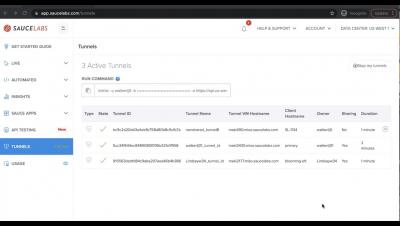
In this video, you will learn how to set variables for your Selenium Java test suite in a config file, create a switch statement for running tests either locally or on the Sauce Labs Cloud, and add the setting such as the url you are testing against, and set up you test to send capabilities to Sauce Labs. In the next video, you will see how to add these capabilities and run your test. Connect with Sauce Labs on Social Media Twitter: @saucelabs.

Run a Web App Test on Sauce Labs - Selenium Java

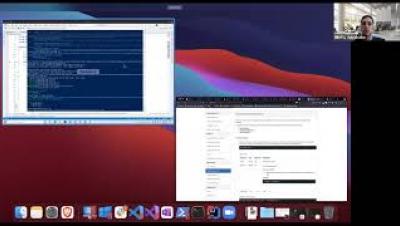
Learn how to add capabilities in a Seleniujm Java test using MutableCapabilites to set options such as username and access key for the Sauce Labs platform, and also add the capabilities such as browserName, browserVersoin, and platformName to configure which environment your test runs in. You will also learn to instantiate a RemoteWebDriver on Sauce Labs using the endpoint for the data center you are testing in.

Adding a Test Name - Selenium Java

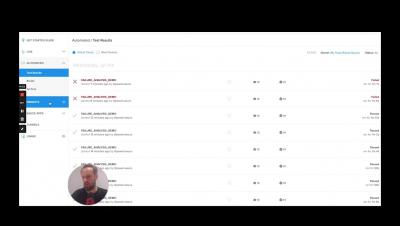
Learn to pass the test name for a Selenium Java test to the Sauce Labs cloud, using the JUnit4 TestWatcher class. Create a rule and implement TestWatcher, and at the start of a test, pass the test name to the name capability so your name will appear with your test results on the Automated Testing results page. Connect with Sauce Labs on Social Media Twitter: @saucelabs.

Add a Test Status on Sauce Labs - Selenium Java

In this video, you will learn to communicate the test outcome status with a Selenium Java test, to Sauce Labs. Sauce Labs needs information from the test or test runner to be able to display whether a test passed or failed on the Sauce Labs dashboard. This tutorial will show you how to; capture the sessionId from RemoteWebDriver, create a connection with the SauceRest API, and pass information about the pass or fail status with TestWatcher of your test using the Sauce REST API, and the sessionId.

Run Selenium Java Tests on Different Browsers on Sauce Labs

In this tutorial learn how to use different browser options with a Selenium Java Test to set the browser you would like to run your tests in on Sauce Labs. Use a switch statement using Selenium BrowserType class to detect the browser, then add browser options to set capabilities for 5 different types of browsers. Finally, you will see how to run tests on different browser (and operating systems).

Choosing the Right Mobile Test Automation Framework

A critical decision for organizations that are defining their automated testing strategy is choosing the right automated testing framework that will help their development and QA teams efficiently write and execute automated tests. The market offers a plethora of frameworks to choose from, and the decision isn’t always easy.

Welcome to Test Automation Day | Mobile Testing (EMEA)

To kick off Test Automation Day Online | Mobile Testing, Ashwini Sathe, Product Marketing Manager at Sauce Labs, provides an introduction to Sauce Labs and our commitment to creating a world of digital confidence. She also discusses the importance of building a comprehensive mobile testing strategy, and how Sauce Labs can help.

An Alternative to Native Apps: How to Test Progressive Web Apps

Progressive Web Apps (PWA) are often seen as the easier alternative to native applications. During this session Wim Selles, Senior Solutions Architect at Sauce Labs, will look at why PWAs are seen as an alternative for native apps, the pros and cons and especially, are they easier to test than native apps.