Async runs long tasks in the background. Await pauses just one line until the result’s ready. Here’s the cleanest way to understand Swift’s async/await in under a minute — with real examples.
Ever tapped a button and your Swift app just froze? That’s what happens when your code runs synchronously. In this short, we break down what async and await actually solve — and why they keep your UI smooth and responsive.
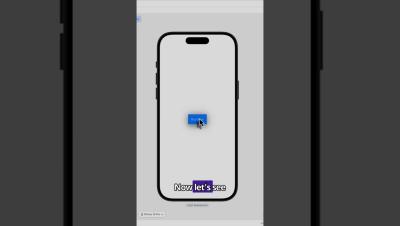
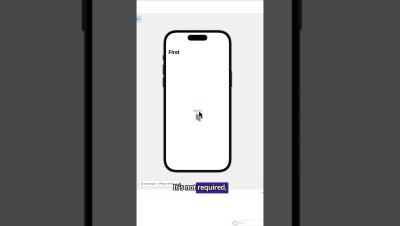
In this video, we’ll cover async and await, real syntax examples, and the biggest mistakes developers still make. Not just theory — real examples built and tested in Xcode.
Learn how to animate a SwiftUI button using just withAnimation, scaleEffect, and shadow. We make the button shrink slightly on tap, then bounce back with a smooth spring animation — no extra frameworks, just native SwiftUI.
Sealed classes are a special kind of class in Kotlin, used to create restricted hierachies — where the full list of sub-classes is strictly limited, and known in advance. This is particularly useful when we want to enhance the power of Kotlin’s when statement, model a type that has a fixed set of possible variations, or represent a fixed group of states or outcomes (such as network responses, UI states and form validations).
It’s one thing to build an app. It’s another to make sure it actually works the way people expect – on real iPhones, in the wild, under all kinds of conditions. That’s where iOS app testing comes into play. Crashes, broken layouts… these are the kinds of things that can tank your reviews fast. If you want to avoid that, you need to test the app properly. And that’s exactly what we’re going to walk you through in this short guide.
Learn how to navigate between views in SwiftUI using NavigationStack and NavigationLink. In this quick demo, we’ll build a button that opens a second screen — clean, modern, and ready for any iOS app. Bugfender helps developers fix bugs faster with real-time app logging.
Learn how to make buttons SwiftUI (2025) in this complete tutorial covering styles, navigation, animations, and more. We’ll go step by step through how to add a button in SwiftUI, create custom button styles, and build real examples like navigation buttons, share buttons, and animated tap effects.
Jetpack Compose is Android’s modern UI toolkit. It unifies and simplifies the experience by consolidating state and logic in the rendering with a more declarative approach. Among its most notable features is a powerful animation framework that helps developers create fluid and performant animations with ease. Jetpack Compose allows you to easily inject animations into your UI, which is a great way of providing visual feedback and enhancing interactions that directly affect the user experience.
Swift extensions are one of the most useful tools in iOS development, allowing us to add new functionality to existing types without subclassing or rewriting code. In this guide, we’ll break down how extensions work, why they matter, and how to use them effectively. You’ll learn: By the end, you’ll know how to use extensions to write cleaner, faster, and more maintainable Swift code.