Systems | Development | Analytics | API | Testing

The Best Node.js Observability Tools in 2025: N|Solid vs New Relic, Datadog, and More

Monitoring Node.js applications effectively is no longer optional—it’s essential for ensuring performance, reliability, and a smooth user experience. With a range of observability and APM tools available, choosing the right one for your stack and team can be challenging. Whether you're tracking memory leaks, CPU spikes, or asynchronous bottlenecks, the right observability stack can save you hours of debugging and protect your user experience.

How Node.js Handles Async Operations

Node.js is designed to be asynchronous and non-blocking, making it highly efficient for handling multiple operations at once. Unlike traditional multi-threaded architectures, Node.js operates on a single-threaded event loop, meaning it executes JavaScript code in a single thread but can still handle multiple tasks concurrently. This is achieved through asynchronous I/O and event-driven programming, allowing Node.js to remain lightweight and performant even under heavy workloads.

What is Libuv: The Engine Powering Node.js and Beyond

Libuv is one of the most crucial components behind Node.js, yet many developers aren't fully aware of its role in enabling asynchronous I/O operations. As a high-performance, cross-platform support library, Libuv is at the heart of event-driven programming in Node.js, but its impact extends far beyond that. Santiago Gimeno is a Libuv maintainer and Senior Software Architect at NodeSource.

Node.js Now Supports TypeScript Natively: Everything You Need to Know

With the release of Node.js v23.6.0, developers can now use TypeScript natively without additional transpilation tools like ts-node or manual compilation steps. This milestone significantly streamlines development workflows, simplifying build processes and improving the overall developer experience by reducing complexity.

AI-Powered Performance Optimization in Node.js with N|Solid

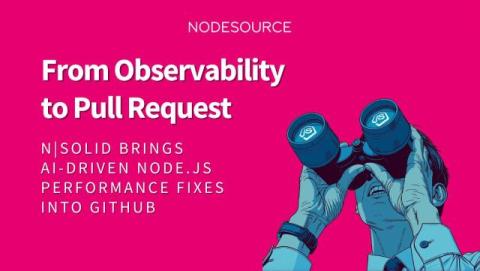
Artificial intelligence is revolutionizing software development, and at NodeSource, we're bringing AI-driven insights to Node.js applications through N|Solid. Our latest AI-powered profiling and diagnostics tools help developers streamline performance analysis, optimize application efficiency, and proactively detect bottlenecks. In this post, we'll dive into how AI enhances observability, simplifies CPU profiling, and generates actionable recommendations that improve performance debugging workflows.

Tracing of Node.js for Better Visibility and Performance with N|Solid

Tracing is a critical feature in N|Solid that allows developers to analyze application performance by visualizing the relationships between different processes through spans and traces. Without proper tracing, debugging performance issues becomes significantly more challenging, as developers lack visibility into how requests flow through an application. Tracing helps pinpoint bottlenecks, optimize request execution, and improve overall application efficiency.

Get Clear Insights with Sourcemaps Using N|Solid CPU Profiles

When debugging performance issues in a Node.js application, CPU profiles play a crucial role in identifying bottlenecks. However, if your code is transpiled or minified, analyzing these profiles can be a challenge. This is where sourcemaps in N|Solid come in, helping you trace your code back to its original form for more meaningful insights.

How to Update Node.js Versions on Windows

Keeping your Node.js version up to date is essential for security, performance, and access to the latest features. New releases often include bug fixes, optimizations, and improvements that can enhance your development workflow. If you're using Windows, there are multiple ways to update Node.js, whether you prefer a simple installer, a package manager, or a version manager. In this guide, we’ll walk through different methods, so you can choose the one that best fits your needs.

How to Update Node.js Versions on Linux

Keeping your Node.js version up to date is essential for security, performance, and access to the latest features. New releases often include bug fixes, optimizations, and improvements that can enhance your development workflow. If you are running a Linux system, there are several ways to update Node.js. This guide will walk you through multiple methods, including using a package manager, Node Version Manager (nvm), NodeSource distribution binaries, and manually downloading the latest version.

How to Update Node.js Versions on MacOS

Keeping your Node.js version up to date is essential for security, performance, and access to the latest features. New releases often include bug fixes, optimizations, and improvements that can enhance your development workflow. If you're using macOS, there are several ways to update Node.js. In this guide, we’ll walk through different methods, including Homebrew, Node Version Manager (nvm), and manual installation.