Systems | Development | Analytics | API | Testing

The latest News and Information on Software Testing and related technologies.

Backtrace Introduction and Demo Video

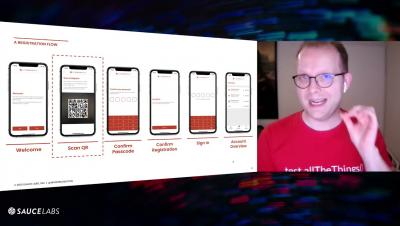
In this 10 minute video, you’ll receive a 2.5 minute introduction to the Backtrace platform, and a 7 minute demo highlighting key capabilities of the system. We open with a discussion on what types of errors can be submitted to Backtrace, and then dig deep on the Debug and Explore views. We highlight Triage briefly, and show how engineers can use Slack to be notified of new issues and immediately be brought into a Debug view.

Why Testlio's Purpose Means So Much To Me

It’s pretty impossible to be a modern company and not have a purpose statement. While purpose is ubiquitous, I’ve found that a compelling purpose can be illusive. It’s rare that companies have a clear sense of meaning that aligns and sustains their team. I gently offer that Testlio’s purpose is meaningful—and effective. In another life, I worked with SYPartners.

How to Automate Testing: A Non-Technical Guide to Improving Quality and Making an Impact

Almost all software and web-based companies (SaaS, e-commerce, and more) that care about a bug-free user experience will eventually need a systematic and repeatable process to test their products. And for most software teams, the only way to feasibly accomplish testing fast enough that it doesn’t become a bottleneck in the software development lifecycle is to incorporate automation tools.

Backtrace Acquisition Adds Error Monitoring; Enables Customers to Receive Quality Signals Throughout Entire Software Development Lifecycle

Today is a great day at Sauce Labs! We just announced that we’ve acquired Backtrace, a provider of best-in-class error monitoring solutions for software developers and engineers. Backtrace enables organizations to mitigate application risk and improve digital quality by empowering development teams to rapidly deploy code with confidence knowing that they can quickly identify and remediate bugs once in production.

Is Selenium the Best Test Automation Framework?

As far as web test automation goes, Selenium is certainly the most popular toolset. That popularity is uncontested. A survey on test automation finding that 54% of the respondents were using Selenium might be surprising only in that the number is so low. Many of the alternatives to Selenium, Software-as-a-Service products that record and re-run entirely in the browser, still use the Selenium as the core driving technology.

Add a Test Status on Sauce Labs - Selenium Java

In this video, you will learn to communicate the test outcome status with a Selenium Java test, to Sauce Labs. Sauce Labs needs information from the test or test runner to be able to display whether a test passed or failed on the Sauce Labs dashboard. This tutorial will show you how to; capture the sessionId from RemoteWebDriver, create a connection with the SauceRest API, and pass information about the pass or fail status with TestWatcher of your test using the Sauce REST API, and the sessionId.

Run Selenium Java Tests on Different Browsers on Sauce Labs

In this tutorial learn how to use different browser options with a Selenium Java Test to set the browser you would like to run your tests in on Sauce Labs. Use a switch statement using Selenium BrowserType class to detect the browser, then add browser options to set capabilities for 5 different types of browsers. Finally, you will see how to run tests on different browser (and operating systems).

Run Java Tests in Parallel on Sauce Labs

In this lesson you will be learning how to set up your Selenium Java test to run tests in parallel on Sauce Labs with the JUnit4 test runner. Using the Maven Surefire Plugin, you can run two or more tests or classes at the same time. In this tutorial you will; include the Maven Surefire Plugin in pom.xml, use the plugin with the parallel tag to run tests in parallel, and finally, add some additional configuration to optimize running tests in parallel on Sauce Labs.