Systems | Development | Analytics | API | Testing

#shorts - Think you're catching all the spikes in your #data? Think again.

With Qlik’s Anomaly (Spike) analysis type, you don’t just see the obvious — you uncover the hidden outliers buried deep in your data. Just pick your measure and time field... ...and boom — hashtag#Qlik surfaces the real anomalies in seconds. You also get narrative insights showing biggest spikes. smallest drops and total anomalies. No guesswork. Just instant, actionable insight. Let Qlik do the heavy lifting — so you can move faster, smarter.

Using Set Analysis P() to Improve Your Marketing Spend

On the Next Do More with Qlik Tips and Tricks edition: Using Set Analysis P() to improve your marketing spend. By focusing only on those customers tied to key product purchases, you can better analyze what’s driving real revenue—and adjust your marketing budget accordingly. Target smarter, spend better.

#shorts - #Qlik Set #Analysis Helps You Uncover #Hidden Cross-selling #Opportunities

Unlock Hidden Cross-Selling Opportunities with Qlik Stop writing long expressions or complex SQL— Qlik’s Set Analysis and it's powerful element function P(), make it easy to analyze customer buying patterns dynamically. Need to see what else Arcade Stick buyers purchased? With just one simple expression, you’ll uncover additional cross-selling insights —helping you boost revenue effortlessly. Don't miss out on data-driven selling—check out the links in the description to learn more!

#shorts - #ChatGPT and #Qlik Merging AI and Analytics

Let's have some fun by merging AI and Analytics. Ever thought about turning an image into data and then back into a recognizable form using analytics? This got me thinking—how else can we use AI and analytics to create something unexpected? What unique data-driven visuals can you come up with? Drop your ideas below!

#shorts - New Straight Table Export Options #YourIdeasMatter

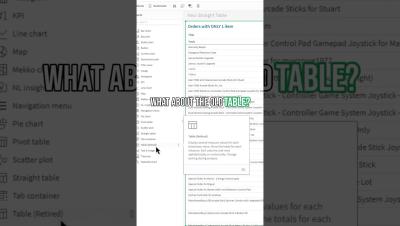
You asked, we delivered! Now, you can customize your export options for the Straight Table found in the Custom Objects, Visualization Bundle. Include Chart Titles, Column Totals, and current selections automatically to your export —saving you time and effort! No more manual edits, just seamless exports. AND Keep in mind, Your feedback drives innovation, so keep the ideas coming! Visit Qlik Ideation to share your requests and shape the future of Qlik.

#shorts - Maximize Customer Engagement with #Qlik #data #analytics #automation

With a powerful Qlik Customer Profile Dashboard and Qlik App Automation, you can instantly identify key segments, and immediately target the right customers with personalized offers—all in just a few clicks! This means better outreach, higher sales, and improved customer retention without the guesswork and multiple tools. Ready to level up your customer strategy? Let’s dive in! Follow, engage, repost for more insights! hashtag#Qlik.

#shorts - Embed Qlik Answers Assistants - Two Methods!

Exciting news for developers and Qlik users! Did you know you can now embed Qlik Answers Assistants seamlessly into your own applications? Whether you’re looking for a quick integration or full customization, we’ve got you covered: Easy Embed – Use qlik-embed tags to drop in pre-configured Qlik Answers Assistants with minimal effort. Full Customization – Leverage the Qlik Answers APIs to tailor the look, feel, and functionality to perfectly match your brand.

File Connector via Direct Access Data Gateway - SaaS in 60

This week we release a new solution that makes it easier for companies to access data stored in on-premises file systems and network drives from Qlik Cloud. Introducing our new File Connector for the Direct Access – Data Gateway. Our new File Connector available with the Direct Access Data Gateway acts as a bridge, allowing secure connections to these on-premises and network data sources, simplifying the process of migrating existing on-premises data and applications to the cloud.