Systems | Development | Analytics | API | Testing

Introducing AI Transport v0.5.0: durable execution with Steps

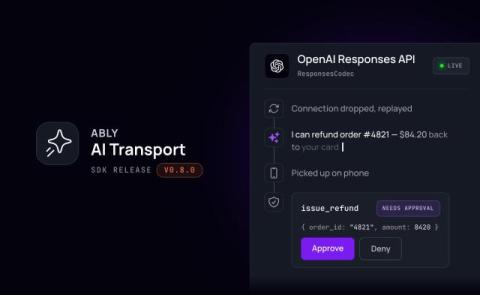
AI Transport v0.5.0 is now available. It adds first-class support for running an agent turn inside a durable execution framework, such as Temporal or Vercel's Workflow Development Kit (WDK), while every client watching the conversation still sees one clean, resumable stream. The last release, v0.4.0, let an agent hydrate its history from your own database. This one is about what happens when the process running the agent isn't around for the whole turn.

Why AI agents need a durable session layer - and why HTTP isn't enough

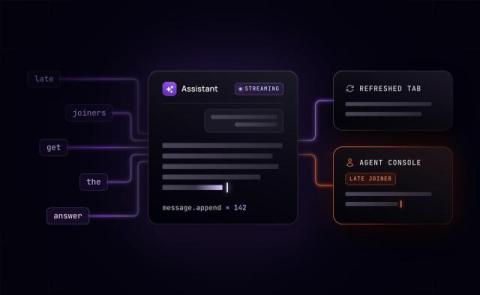
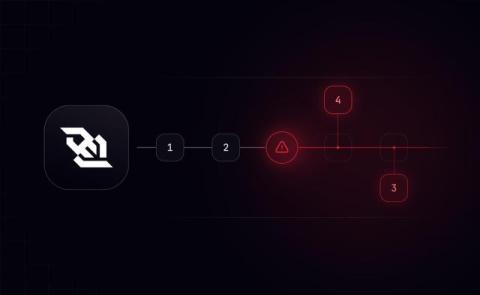
HTTP works fine for a chatbot that responds in seconds. Add token streaming, and it mostly still works. But once an agent starts doing things that take real time, reasoning across multiple tool calls, spawning sub-agents, running for minutes instead of milliseconds, the UX starts to falter. The connection drops while the agent is mid-thought. The user switches tabs, comes back five minutes later, and the session is gone. The agent finishes its work, but the client has already moved on.

Introducing AI Transport v0.4.0

AI Transport v0.4.0 includes changes to optionally support database hydration. Some applications may wish to store AI conversation history in an external store, such as a database. AI Transport's support for database hydration allows applications to reconcile that stored history with the live activity in the AI session. When using database hydration, your application persists messages for completed runs to the database.

AI chat stream resumption: when Redis is enough, and when you need durable sessions

There's a well-worn path to resumable AI chat streams: find the Vercel SDK docs, implement Redis-backed replay, and ship it. For many products, that's the right call. The challenge arises when the product goes further than that. AI customer support tools that handle complex queries over 30-plus seconds. Agents that keep working while the user switches from their laptop to their phone.

Is AI making your teams better, or just busier?

AI adoption programs tend to end in the same place. Tools are accessible, usage is up, and there's a dedicated Slack channel for wins. Six months later, nothing about how the team works has fundamentally changed. People are doing the same things – just slightly faster. And it’s easy for programs to stall when you’re measuring the wrong thing. Adoption (whether people have access and whether they're using the tools) is visible and easy to report.

How durable sessions unify human-to-human and human-to-agent messages

AI chats are often a rather solitary experience: just you and ChatGPT, sitting there together, solving a problem. But so many of the tasks that we perform day to day are ones that benefit from, or often even require, collaboration with other people such as colleagues, family members, or friends. So, if AI agents are helpful, and other people are helpful, then how can we provide a space for multiple people to collaborate with each other and with AI agents?

Stop vs disconnect - why canceling AI streaming is harder than it looks

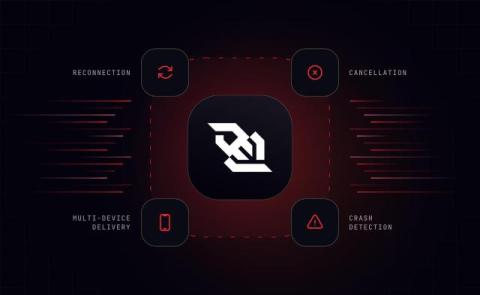
You add a stop button to your AI chat app: a customer support agent, a coding assistant, a research tool the user can steer mid-task. A user clicks it mid-response. The frontend stops rendering. Then you check your backend logs and realize the underlying generation is still running, and you’re still paying for every token. This is not a bug.

Your Vercel AI SDK app is missing a session layer

If you have built an AI chat feature with the Vercel AI SDK, you have used its useChat hook. You give it your messages, and it streams the reply into your UI. You may have seen our post on the custom transport we built for the Vercel AI SDK. It swaps useChat's default transport for Ably AI Transport, adding resumable streams, cross-device and multi-user sync, conversation branching, history compaction, and stop-and-approve controls.

Agentic apps that go beyond chat

You are planning a trip with an AI assistant on your laptop. You are chatting with the agent, and as you progress it is dropping pins on a map, building a day-by-day itinerary, adding up a budget, and streaming its reasoning as it goes. The state of your interactive session is a combination of the chat history, the synthetic UI constructed by the agent during that process, and structured state, the itinerary, arising from the decisions you each make.