Systems | Development | Analytics | API | Testing

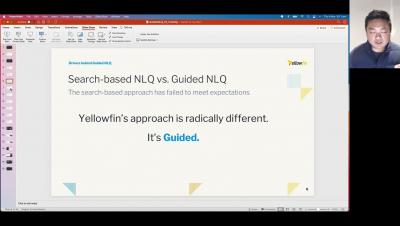
How to add multiple charts to a report

In this video you will learn how to add multiple charts, or visualizations, to a single data table as you build a report. You'll learn about using the Auto Chart feature, as well as manually selecting your own chart types. In addition to adding charts, you will learn how to add text, graphics, and images to your report. Once you are finished adding charts and other visual elements, you will learn how to properly save your multi-chart report.

Yellowfin 9.8 Release Highlights

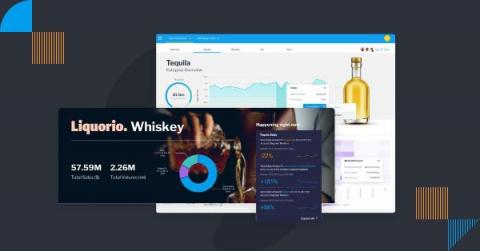
Introduced in 9.7 as the simplest way to ask questions of your data, Yellowfin 9.8 delivers exciting updates to Guided NLQ, and additional improvements to our report builder. The latest release makes Guided NLQ even more powerful and simpler to use, with new question types (Cross-tab), more intuitive questions with field synonyms and default date periods, and protection against long-running queries - in addition to faster report building.

7 Most Common Dashboard Design Mistakes to Avoid

Dashboards are an important data analytics tool for understanding business metrics and managing your business performance. However, if your dashboard is not designed well, it can be difficult to use for analysis, and ineffective for decision-making. Dashboard design should be simple and accessible, and reflect your company's branding and identity. Ensuring your analytical dashboard is readable, usable and accurate is heavily reliant on following best practice dashboard design.

The History of BI Dashboards

Technology is always evolving, and so is the way we use it to collect and analyze data. From humble spreadsheet beginnings to fully automated business monitoring and AI-powered analysis, the range of analytics tools on offer today is astounding to consider. The business intelligence dashboard is one such option. It has existed for decades as a tool for organizations to monitor and analyze operational data - and it's not quite dead yet.

6 Signs Your Analytics Dashboard is Outdated

From performance metrics to resource allocation to customer feedback, there is a lot of important data for businesses to track today, and it can be difficult to measure it all - but with the right dashboard in place, collating such data for everyone to see is much easier. However, if your dashboard analytics is outdated or otherwise not updated fast enough, you may not be able to provide accurate data about your company's performance at all.

Data Visualization Tools vs Data Analytics: What's the Difference?

Data visualization tools are dedicated software applications or components of a business intelligence (BI) solution that visually render data and present information through various formats, like graphs, charts, or heat maps - and an important parts of analytics today. The best data visualization tools are those that provide a diverse range of visualization options that represent complex data across multiple use cases, and help end-users easily analyze it.

When is it Time to Upgrade Your Data Visualization Software?

Analytics and data visualization are essential parts of modern business intelligence (BI). These tools help you better understand your business and improve overall decision-making. However, as your data grows and your users' analysis needs evolve, it may be time to upgrade your visualization solution to achieve better capability and reporting.