Systems | Development | Analytics | API | Testing

Control the spend and usage of your AI testing agents | SmartBear BearQ

Worried an AI teammate could rack up a surprise bill? In this video, you’ll learn how SmartBear BearQ gives you real governance over AI testing spent – built with pre-baked monthly limits, so your team always knows what to expect before a single agent gets to work.


How to test Jira tickets automatically with an AI QA agent | SmartBear BearQ for Jira

You can add AI-driven testing to your Jira workflow by handing tickets to the QA Lead Agent in SmartBear BearQ for Jira. Move a finished ticket, and the agent checks for an existing test, links or creates one, runs it, and reports back. If your team builds with coding agents like Claude or Cursor in Jira, BearQ, the agentic QA system, adds the quality step to that AI-driven software development lifecycle (SDLC).

From AI chaos to agentic QA, ft. Andy Weir, author of The Martian and Project Hail Mary

10x faster coding. Same QA. Until now. You're coding faster with AI. But if your agents are siloed and disconnected, those gains aren’t yet showing up in your quality or delivery – it's getting lost in the handoffs. Join SmartBear for a live demonstration of the connected agentic SDLC. See how BearQ extends beyond creating tests to coordinating quality work across Jira, GitHub, and AI-powered workflows – detecting issues, triggering the right next action, and carrying context from one agent to the next.

Connect agentic testing with Jira, Linear, and Azure DevOps| SmartBear BearQ

Watch this video to see how see how SmartBear BearQ keeps bug reports and test results in sync with Jira, Linear, and Azure DevOps at AI speed and scale, with no manual copy-pasting. BearQ’s agentic QA system connects to the tools your team already relies on, so its three built-in agents can pull in context and push results right where your team lives.

SaaS or on-premise? How to settle the Swagger deployment question

Choosing between SaaS and on-premise for SmartBear Swagger Studio, SmartBear Swagger Portal, and SmartBear Swagger Contract Testing The question that most often stalls an API solution evaluation is a simple one: do we run this as SaaS or on-premise? It’s simple to ask and hard to answer, because three teams each hold a veto. Security needs to know where your data will live. Your platform team has to decide whether it can take on another workload.

TestComplete vs. Tricentis Tosca vs. Ranorex: Which test automation approach fits your team?

Test automation gets harder when the application portfolio stops looking like a modern web stack. Desktop clients, packaged systems, internal applications, and long-lived business software all create different requirements for how teams build, run, and maintain tests. In an AI-disrupted SDLC, the rest of the stack changes even faster, and the risk concentrated in those systems grows with it.

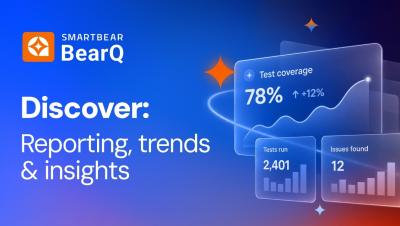
Spot flaky tests and failure trends with agentic QA | SmartBear BearQ

Wondering which of your AI-driven tests need attention right now? Watch this video to learn how SmartBear BearQ spots flaky tests and failure trends the moment they happen, so you always know exactly where to focus. Each report summarizes what happened and surfaces the issues BearQ detected, whether while exploring your app or running a scheduled test. Drill into failed tests to see exactly which runs broke and why, track trending results over time, and review open issues found across both passing and failing runs.

BrowserStack vs. TestComplete: Which automation tool fits your stack?

Every QA team carries a list of things it hasn’t gotten to yet, and that list tends to grow at about the same rate as the application portfolio. There are more tests to automate than there is time to write them, coverage that stops short of the applications nobody wants to touch, and workflows that have stayed manual long enough to become part of how the team works. Automation chips away at that list without ever quite emptying it, because the constraint is rarely how fast the existing tests run.

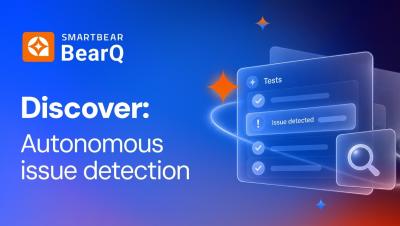
Catch bugs and UI issues automatically with QA agents | SmartBear BearQ

In this video, you’ll see how SmartBear BearQ's QA agents catch bugs, UI and UX issues, and accessibility gaps automatically as they explore or test your applications, zero test script writing necessary. Whenever the Explorer Agent investigates your app or the Tester Agent runs a test, the QA Lead Agent is watching in the background for anything that looks wrong. Each suspected issue arrives with a clear title, a description, expected versus actual behavior, steps to reproduce, and a link to the evidence that shows exactly when it was found.

Confidence in AI-generated code is rising in lockstep with its failure rate

If you only read the headlines this year, you’d think AI makes shipping good software easier than ever. Yet, this was the year of very public AI-coding incidents. PocketOS’ production database deletion and a Vercel AI agent shipping unverified code are just two examples of AI-authored code shipped with confidence that turned out to be wrong. And, of course, these AI-coding incidents are distinct from Agentic AI orchestration incidents like the HuggingFace hack by OpenAI.