Systems | Development | Analytics | API | Testing

Applying AI in Software Development: Best Practices and Examples

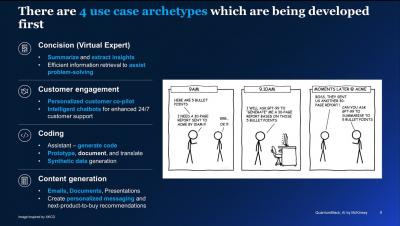
There’s no doubt that artificial intelligence has transformed the business world and that more changes are yet to come. In December 2022, the US government issued a report showing that nearly all industries have adopted AI in some fashion to improve their workflows.

Tips for Creating Test Management for Jira

Your company needs to deliver the best product possible. And to do that, you need to test, test, and test some more. But many organizations lack the tools to manage testing properly. This is a particularly common issue for the many teams who use Jira to track issues throughout the development process. That’s because Jira doesn’t have built-in testing functionality. So, for organizations who haven’t added testing tools, test cases are managed manually, and often tracked in a spreadsheet.

Analyze your data with Cloudera Data Warehouse

Cloudera Data Warehouse is a comprehensive data analytics and management solution that offers security and governance policies, automations, and high-speed SQL engines for analyzing data easily, self-service, and quickly. Its open data lakehouse architecture eliminates data silos, making all data accessible without moving it, and due to integration with Apache Iceberg, supports both structured and unstructured, real-time, and batch data.

Mind Maps: Excellent Tool to Aid Testing Thought Process

Are you someone who has heard of mind maps and always wondered what it is? You tried your hand at one and couldn’t figure out how to apply it to your context. You have arrived at the right spot. This article intends to dive deep into mind maps and demonstrate how to use them for software testing. So, free your mind and enjoy the ride. Let us start with the fundamentals: “What is a mind map”. A mind map is a visual representation of an idea.

06 - Multiple Repository Integration with TestQuality | Test Management Tool for Jira & GitHub

TestQuality offers you the possibility to use multiple repositories on a single project, or connect multiple projects to a single repository. If you want to connect to different repositories, you can now have a many to many relationship with your linked GitHub or Jira repositories. Adding a defect or a story is as simple as choosing the location you wish to connect to. The fastest way to build, run, and manage test cases, plans, runs, and cycles. Easily understand the quality and performance of your tests and with powerful test analytics..