Systems | Development | Analytics | API | Testing

Security Testing Explained: Protecting Modern Applications And Apis

Security testing helps identify weaknesses in software before attackers can exploit them. It protects sensitive data, ensures system stability, and controls user access. With web, mobile, and API-based applications growing rapidly, security threats are increasing. Security testing helps teams detect risks early, prevent breaches, and meet compliance standards.

Software Testing Strategies: A Complete Practical Guide (2026)

Software testing strategies define how I plan, structure, and execute quality checks across the entire software development lifecycle to maintain reliable software outcomes. With teams shipping faster through Agile, DevOps, APIs, and CI/CD pipelines, relying only on ad-hoc or manual workflows no longer works. I’ve seen structured strategies supported by the right tools become essential for controlling risk while still moving fast. Let’s explore how this works in real software teams.

Software Testing Basics Simplified: A Guide For Beginners (2026)

Release day gets tense when a test suite can’t answer one simple question: are we safe to ship? In the conversations I have with engineering and QA teams, the same pattern shows up again and again – confusion in the basics creates chaos later. That’s why software testing basics matter: they turn testing from “random checks” into something teams can trust. Once the fundamentals click, choosing test types, tools, and automation becomes a lot easier.

Copilot vs Cursor: A Complete AI Coding Assistant Comparison

Coding with artificial intelligence is not just a nice-to-have; AI applications in computer programming are becoming integral to modern computer programming workflows. Presently, two primary applications dominate the discussions in this area: GitHub Copilot and Cursor AI. While both applications provide faster coding times and fewer bugs, fewer bugs, and smarter code, they offer such features in extremely different ways.

Software Quality Gates: How Do They Work?

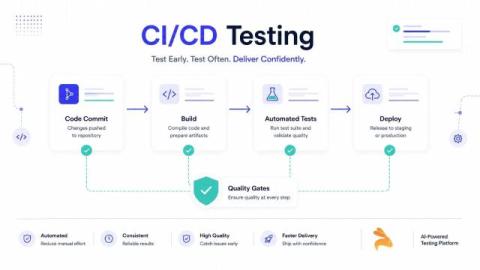
Shipping fast feels great – until something breaks in production. Sometimes, even solid-looking builds fail just because one small issue slipped through testing. That’s where software quality gates step in. They act as automated checks that stop risky code before it moves ahead in the pipeline. Rather than relying upon instinct, we rely on data – code coverage numbers, test results, and security signals.

What Is Delta Testing? How It Works, Benefits & Best Practices

Software development has evolved to a point where updates ship more frequently than ever – sometimes multiple times a week. But rapid releases demand equally fast validation. Traditional full regression cycles take too long and can block delivery, especially when only a small feature or module has changed. Delta testing addresses this challenge by testing just the updated areas of the product. It allows teams to maintain quality while delivering incremental improvements quickly.

How To Use Copilot In Software Testing: A Practical Guide For Testers

Software testing is critical in assessing the quality of apps, testers oftentimes have to deal with limited resources when it comes to creating tests, as well as repetitively creating tests for all feature coverage. These factors lead to a significant reduction in both the speed of development and efficiency in the testing process.

How VPS Architecture Solves The Problem

Virtual private servers approach this differently. They tackle contention head-on through dedicated resource allocation. Instead of letting resources slosh around freely between all sites like shared hosting does, VPS technology carves a physical server into isolated virtual machines. Each one operates independently. Each gets its own slice of CPU cores, RAM, and storage that nobody else can touch.

API Observability: What I Learned While Debugging APIs In Production

APIs rarely fail loudly. Most of the time, they break quietly while dashboards stay green. These silent failures are often the hardest to detect and the most damaging for users. I learned this while dealing with real production traffic. Everything looked normal until users started complaining. Let’s explore more about how this works.